The TypeScript AI framework that clarified agents for me
1/1/2026

I discovered Mastra through my GitHub feed, a reminder of how curated technical networks surface relevant tools without noise. For developers, this is where real discovery happens: raw signals from peers, free of marketing fluff. It’s just facts.
What caught my attention
Build agents with a modern TypeScript stack
☝️ Mastra’s homepage headline
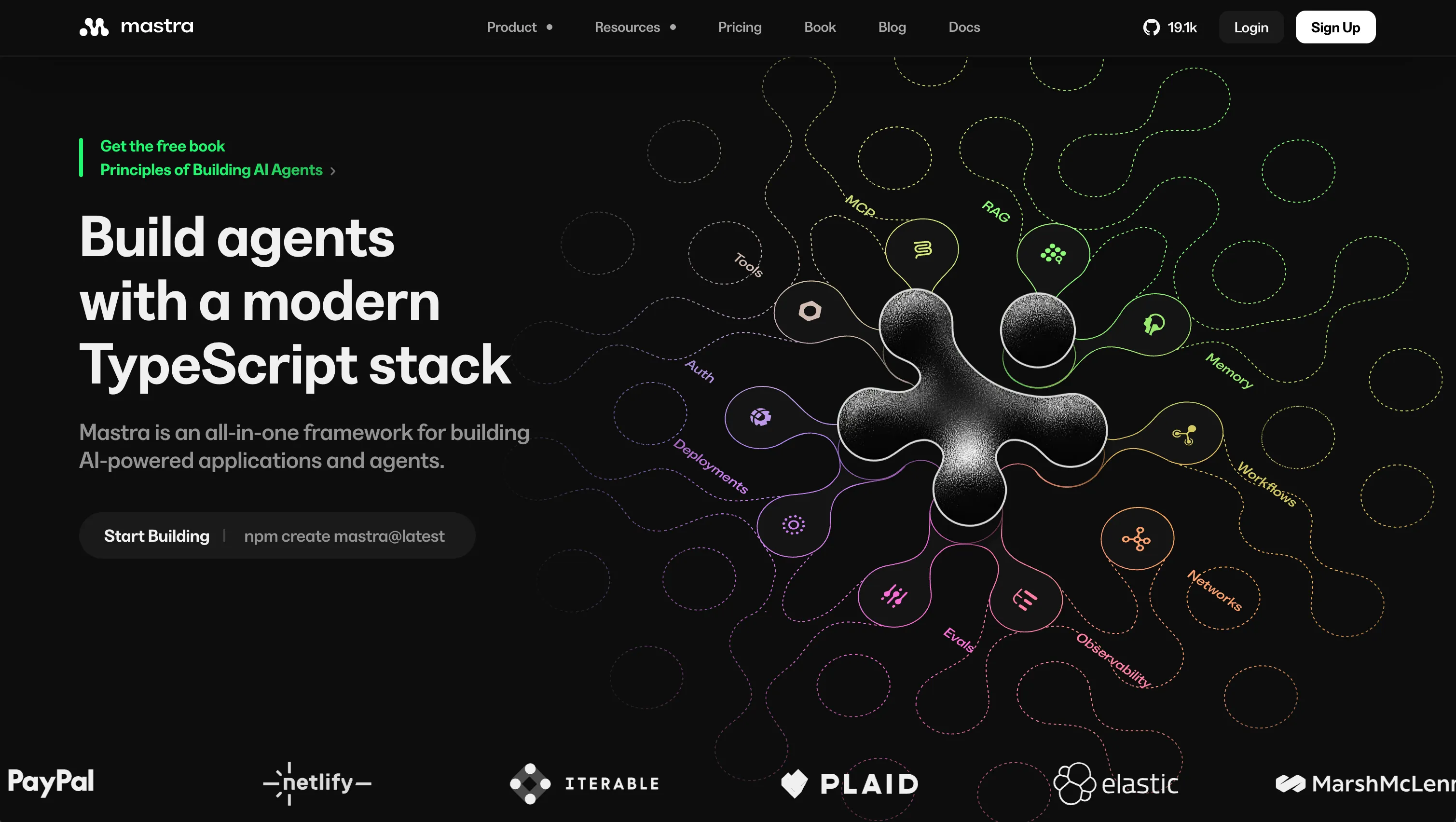
The most obvious is the keyword agents, AI agents. Everybody wants to be onboard the AI train, including myself, and although I am carefully trying not to fall into the trend trap, I also want to learn more about what is effectively becoming the biggest revolution since Internet was invented.
Besides AI, it’s Typescript. I am myself coming from a frontend developer background, learned Typescript, and still to date use it everyday. What’s obviously convinient when you become an expert with one programing language is that you almost don’t have to think to actually program what you have in mind. And that becomes very convinient when you are getting familiar with a new topic. Forget about the syntax, use the appropriate tooling, refactor in no time…
Last but not least, and because I’ve first seen it in my GitHub feed: it’s open-source. I love open-source. I bet you too.
Getting started, it takes literally 2 minutes
Initialising a Mastra codebase has been made super easy with just a starter command, plus a bunch of templates you can choose from!
With this command executed, you get a pretty simple folder architecture, and some key files every Typescript developer
is already familiar with: package.json, tsconfig.json, .env.example…
Discovering Studio UI
Studio UI is an amazing frontend application that comes with Mastra. It’s representing every entity you built in your codebase, like a tool, an agent, a workflow, and even the infrastucture connections you made.
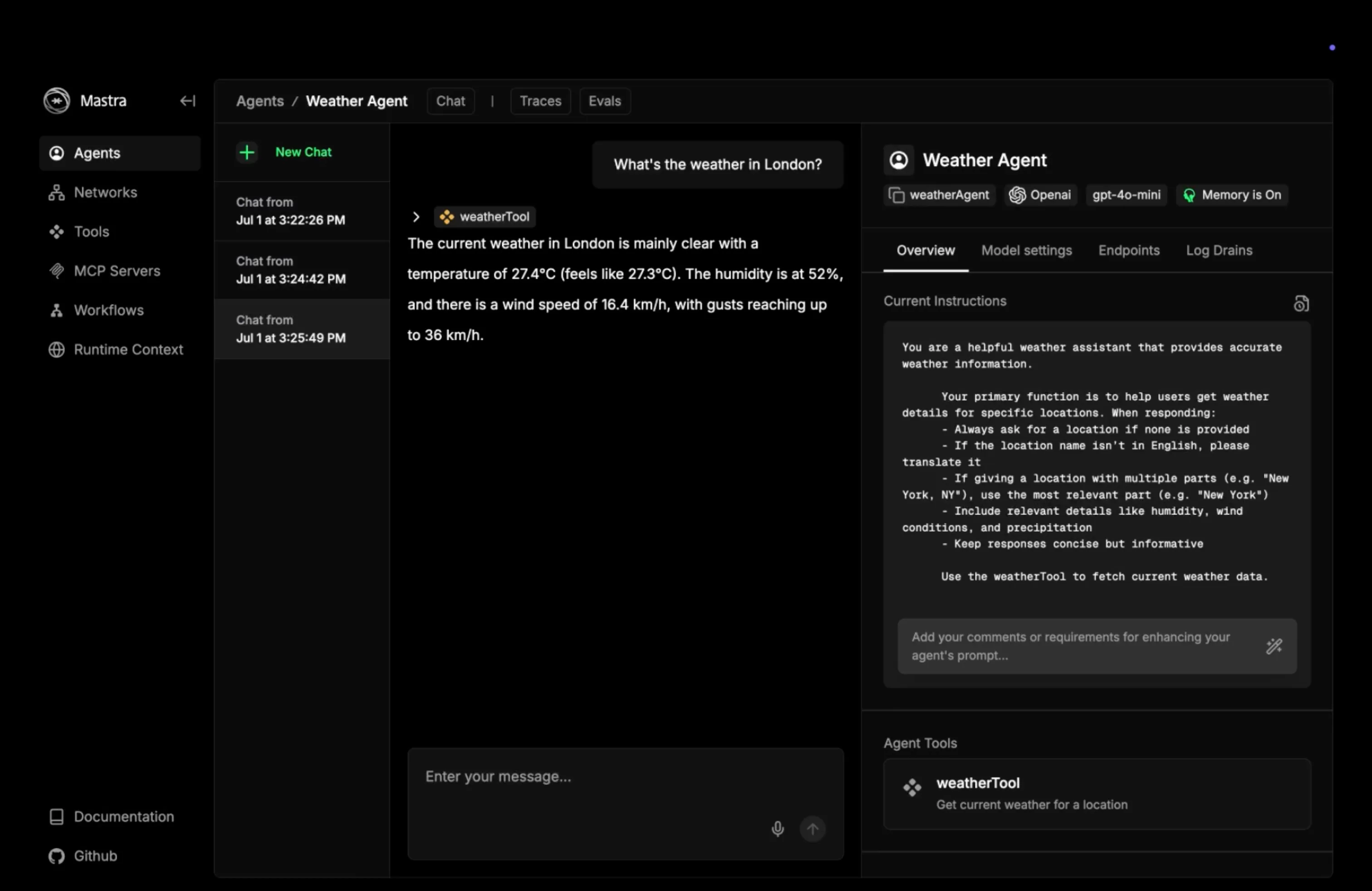
I started easy by just creating an agent with no capabilities but chat with me. I used a Mistral API key, followed the Mastra documentation to configure the bare minimum agent, and the magic happened ✨. Using Studio, I was able to create a new conversation with my agent. Immediately after my conversation I started to customize the “system prompt” of my agent, meaning the initial instructions my agent is given before any conversation starts.
At this point, just 10 minutes before starting, it was already fun to play around with Mastra.
Okay that’s cool already. But let’s get our hands dirty.
Chaining entities
Pretty much any well-known AI provider today is offering a web UI to chat with their model, but also to create custom agents, connect some mainstream tools like your calendar, your emails, your source code or whatsoever.
By the way, quick parenthesis here as a kindly reminder that today’s free or individual plans offered by big AI companies for an access to a web interface to chat and play around with models are well underpriced. That means, they benefit from your daily usage of such tool (your data, the feedbacks you make…).
Disclaimer done. Now what brings Mastra if you can already create agents only? I continued my exploration by creating a tool. A tool is a interface to and from another program. It’s basically a side effect. There are input and output data to almost any tool, validated by a schema. I decided to create tools to interact with a backend of a todo list sandbox project, so that my agent can manage for me this list.
The first tool is to fetch all the remaining todos for the day, the second to mark one task as complete, and a last one to create new elements in my list. Now that my tools are ready, I can connect them to my agent, and with a properly tuned system prompt, my agent would know exactly when to use those tools.
And you get immediate results! 🤯
With Studio, it’s super easy to test your tools independently, or together, interact with your agent and verify it’s calling the appropriate tools, see the input and output of each call and so on!
For complex tasks involving multiple tools or agents, you can create workflows. Workflows basically allow to have one tool (or agent) called after another, which each step responsible for a defined task.
Connect infrastructure
You can add super-powers to your AI just by giving it some infrastructure resources. Within minutes you can give your agents a memory, that means that your agent will remember previous messages in the conversation, to potentially fine-tune the upcoming answers. If you add another adapter, you can get your agent to share a memory across several conversations.
Overall many of the advanced features (e.g., memory, RAG) of Mastra require you to connect a database, so do yourself a favor and write a small Docker compose.yml file to have a confined database ready to serve your local environment.
services:
  db:
    image: postgres:16
    ports:
      - "5432:5432"
I understood RAG (Retrieval-Augmented Generation)
Now that I’m completely trapped into the rabbit hole, I’m curious to test some of the unknown and most advanced features. I went back to the documentation, clicked a random tab in the side navigation panel and picked… RAG.
I first read a bit of theory about this topic to understand what this is all about before testing it. I will try to make rapid explaination here: RAG uses non-specialist AI models to answer very specific questions using additionnal knowledge taken from resources like text documents. The benefits of this technique is that your AI will be able to answer based on documents that have never been used to train public AI models, let’s say for example your product documentation.
it’s a multiple steps process that involves parsing some documents, splitting it, embedding it, storing vectors and make them accessible to an LLM. In other terms, that means:
- Read some input documents with an appropriate parser (let’s say your documentation in markdown)
- Make small chunks out of it (can be a group of words, a number of letter, a paragraph…)
- Transform chunks into vectors: that’s called embeddings
- Store the vector into a vector database (if you like postgres, there is a pgVector adapter)
- Make the database accessible to your agents
I tried this with the documentation of an old project I work on, and the result felt exactly like the support chatbots you sometimes stumble across online. Except that my agent felt way more talented… 😜
Road to production
Now the obvious question that comes after days of experimenting with the codebase and Studio is: how do I host this thing and how do I connect it to my project? Once more Mastra got you covered with a bunch of options to choose from:
- Mastra Cloud (the commercial offer)
- Integration with another framework like Next.js or Astro
- Serverless deployment
- Custom server deployment
About this last option: Mastra provides a ready to use HTTP API that allows to call each one of the tools, agents, workflows - and generally spoken entities - you created in your Mastra codebase. That means you can from your mobile app for example with just one HTTP call talk to your custom agent. And to make things even simpler, if your frontend codebase is in Typescript, Mastra provides a client to simplify interactions with the server.
Why you should try
If like me you don’t want to lag behind the market and want to strengthen your AI understanding and skillset, it’s a perfect sandbox. There is a whole bunch of use-cases that emerge from the experiments you can do with Mastra. It’s a fun way of learning.
And if you accidentally create the perfect solution to a problem with this framework (you might), then you will be lucky enough to have a production ready solution, backed by talented open-source contributors: the team behind Mastra is also responsible for the success of Gatsby, the frontend framework.
Stay tuned, Mastra 1.0 is going live in January 2026